


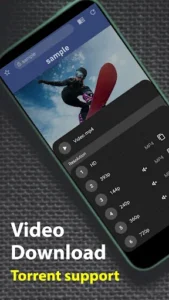
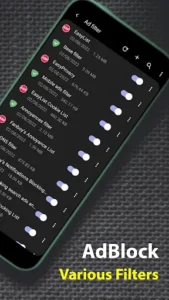
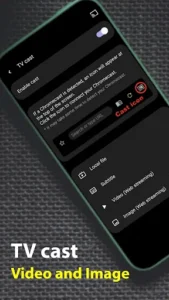
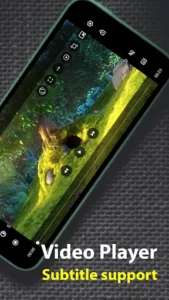
Soul Browser is a mobile web browser designed to give users granular control over their browsing experience, from content display to interface customization. It enables users to browse the internet, manage various types of content, and tailor the app’s appearance and functionality to their preferences. A key aspect of the app is its extensive suite of tools for content handling, including robust options for media download and text translation, alongside deep personalization capabilities for the browser’s layout and interaction.
Content and Ad Management
The app offers functionalities to control the content displayed on web pages. It includes a Block area feature, which functions as an ad blocker to help users manage unwanted advertisements and trackers, contributing to a cleaner browsing environment. For a focused reading experience, a Clean mode can remove distractions from pages, complemented by a Reader mode that optimizes text for readability. Users can also adjust text size with Enlarge text, change the Change font, and apply a Screen filter for visual comfort. For image-focused tasks, the app supports viewing only images on a page and saving all images with a single action.
Media Handling and Productivity Tools
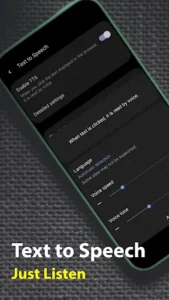
Soul Browser provides tools for interacting with various media types. It supports downloading videos directly from websites, allowing users to save content for later viewing. The app also features Text to Speech for listening to web content, TV cast functionality to project content to compatible screens, and a Scrolling screenshot option to capture entire web pages. Beyond browsing, it integrates a PDF viewer for document access, a QR code scanner, and a Photo editor for basic image adjustments.
Interface Customization and Navigation
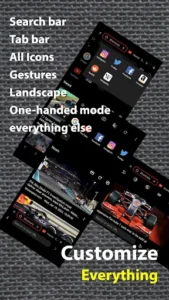
A distinctive aspect of Soul Browser is its comprehensive customization options for the app’s interface and user interaction. Users can personalize the Layout editing, Menu editing, Search bar editing, and Tab bar editing to arrange elements according to their workflow. Gesture editing allows for custom navigation shortcuts, while a One-handed mode enhances usability on larger screens. The app also supports a Dark theme for visual preference and includes Go back without refresh for smoother page navigation.
Privacy and Security Features
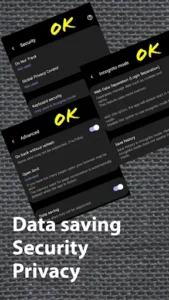
To enhance user privacy and security, Soul Browser incorporates several features. It offers an Incognito mode for private browsing sessions that do not save history or cookies. Keyboard security helps protect sensitive input, and a Lock screen feature can secure access to the app itself. Furthermore, the app includes a DNS change function, which utilizes Android’s VpnService to allow users to modify their DNS settings for potentially improved privacy or access.
Permissions and Usage
Soul Browser is designed to be functional without requiring any initial permissions. Optional permissions, such as ACCESS_FINE_LOCATION, RECORD_AUDIO, and CAMERA, are only requested when a website specifically asks for them, or for functions like attaching photos. READ_EXTERNAL_STORAGE is used for file management, and REQUEST_INSTALL_PACKAGES is needed if users choose to download and install other applications directly from websites they visit within the browser. The app can be used even if these optional permissions are not granted.







Write a review